- Registriert
- 27.08.10
- Beiträge
- 1.971
Nabend
Ich hab mich gerade etwas gewundert.
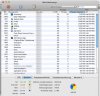
Ich bin gerad' ein paar Bilder am bearbeiten, mach Photoshop zu, und siehe da, dass mehr als 3 GB RAM inaktiv sind.
Dacht Ich mir - Warum hab Ich mir vorgestern eigentlich extra 8 GB Arbeitsspeicher eingebaut?
Hab dann mal ein wenig gegoogelt und bin auf ein Support Dokument von Apple selbst gestoßen in dem es heißt:
Nun, dass ganze mag ja echt super sein, eins dieser 'awesome features' wie Apple immer sagt - aber Ich brauche diesen RAM halt im moment, und der Mac fängt schon an zu swappen und Seitenauslagerungen anzulegen trotz diesem Satz: 'This Inactive memory is available for use by another application'.
Kann dieses Feature nicht für eine Zeit lang austellen?
MacBookPro 8,1 - 10.6.8
Ich hab mich gerade etwas gewundert.
Ich bin gerad' ein paar Bilder am bearbeiten, mach Photoshop zu, und siehe da, dass mehr als 3 GB RAM inaktiv sind.
Dacht Ich mir - Warum hab Ich mir vorgestern eigentlich extra 8 GB Arbeitsspeicher eingebaut?
Hab dann mal ein wenig gegoogelt und bin auf ein Support Dokument von Apple selbst gestoßen in dem es heißt:
Inactive memoryThis information in memory is not actively being used, but was recently used.
For example, if you've been using Mail and then quit it, the RAM that Mail was using is marked as Inactive memory. This Inactive memory is available for use by another application, just like Free memory. However, if you open Mail before its Inactive memory is used by a different application, Mail will open quicker because its Inactive memory is converted to Active memory, instead of loading Mail from the slower hard disk.
Nun, dass ganze mag ja echt super sein, eins dieser 'awesome features' wie Apple immer sagt - aber Ich brauche diesen RAM halt im moment, und der Mac fängt schon an zu swappen und Seitenauslagerungen anzulegen trotz diesem Satz: 'This Inactive memory is available for use by another application'.
Kann dieses Feature nicht für eine Zeit lang austellen?
MacBookPro 8,1 - 10.6.8